
This plugin integrates with our Google Analytics to bring data back to the intranet. The plugin contains a Most Active widget and the Zero Hits monitor report.
To set up this plugin, you will need to create a Google Service Account with access to the Google Analytics Data API. Keep the JSON security file that is generated.
In Google Analytics, add the email address of the service account as a user with read permissions on your GA4 property.
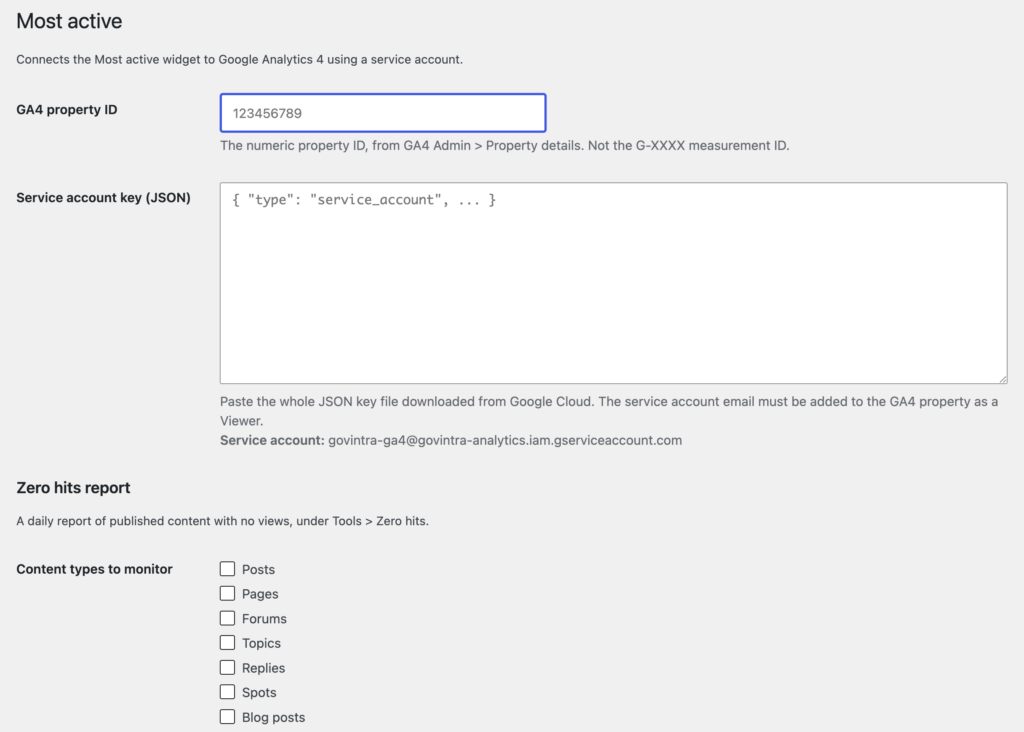
In the plugin settings, add your GA4 property ID and the JSON generated from your Google Service Acount.
You can then select which post types to use for analysis in the Zero Hits report. Typically you will use Tasks.
Most Active widget
This widget displays ‘most viewed’ posts and pages, as tracked by Google Analytics. We recommend to trail analytics for only one week maximum. Commonly accessed content will appear in the list, and seasonal or time-based tasks will bubble up in the list as they become popular.
Zero Hits monitor
In Tools > Zero Hits, this report cross-references your corpus of content against page views in Google Analytics. The report highlights content that has not been viewed, with a monthly breakdown and a one year/six month overview.